
PBA® Bowling Challenge
Concrete Software, Inc.Sports
4.458.24K Reviews
- Version
- 3.27.0
- Installs
- 10.00M
- Age Rating
- Everyone
Screenshots
Our Review of PBA® Bowling Challenge
 Analysis by Appyee
I like mobile sports games that let me get into a match quickly, but still give me a reason to return after the first burst of curiosity. PBA® Bowling Challenge has that easy-to-understand appeal: aim, roll, watch the pins fall, and try to do better next frame. It is a bowling game from Concrete Software, Inc., and its accessible controls make it an inviting choice whether you bowl regularly or simply enjoy a little competition on your phone.
Why the first sessions click
The basic appeal is immediate. A swipe gives you a clear action to learn, and the result is easy to read: a strike feels rewarding, while a missed spare gives you a concrete reason to adjust your next attempt. I find that kind of feedback well suited to short breaks. You do not need to study a complicated ruleset before you can enjoy a frame, yet bowling’s mix of aim and consistency gives the simple gesture some purpose.
That makes the game a good fit for a waiting room, a commute when you are seated, or a quiet moment at home. A realistic everyday use is playing a couple of frames while waiting for someone to arrive, then putting the phone away without needing to set aside an evening. If you prefer a game that asks for your full attention from the first minute, or want a detailed simulation of every part of real bowling, this lighter mobile approach may feel limited.
A sports game with a bowling focus
As a sports game, it occupies a different space from the usual mobile alternatives built around team lineups, racing, or rapid action. Bowling gives each turn a natural pause: I can think about where to aim, make the shot, and judge the result. That makes it calmer than many competitive sports games, though the pursuit of a clean frame can still create tension. Someone looking for constant motion or direct control of a full team will probably be happier with another kind of sports title.
The game presents single-player challenges and multiplayer competition, so it can serve different moods. I would use solo play when I want to improve at my own pace and competition when I want an opponent to make a familiar shot feel more consequential. The choice is useful, but it also changes what makes a session satisfying: solo progress is personal, while multiplayer depends on wanting a contest rather than simply practising a few rolls.
What keeps a routine from going stale
Customization gives progression a practical hook. The game lets you unlock bowling balls with different abilities and new alleys, and that can change how I think about a difficult opponent or challenge. One useful approach is to treat equipment as a tool to experiment with, not just a prize to collect: try a different ball when a particular situation is giving you trouble, then return to a familiar choice when you want predictable handling. Special effects can be entertaining, but a player who prefers a strictly traditional bowling feel may find them less appealing.
Challenges and tournaments add goals beyond simply playing another frame. I like having a specific target to work toward, but I would avoid treating every reward as a reason to keep playing when I am no longer enjoying the session. The game is free to play and includes in-app purchases, so it is sensible to decide for yourself whether optional spending fits your habits. I would start by playing with the available progression and only consider paying if I knew exactly what I wanted from it; there is no need to make a purchase just to find out whether the basic bowling loop suits you.
Small habits that help over time
For lasting value, I would keep sessions goal-based: focus on improving a spare, completing a challenge, or playing a quick match, rather than opening the game without knowing what I want to do. That makes it easier to notice whether the variety is still working for me. If I am repeatedly chasing rewards without enjoying the shots themselves, that is a sign to take a break rather than turn a casual game into a chore.
The title has a substantial audience, with an average rating of 4.4 from around 304,000 ratings and over 10 million installs. Those figures suggest it has broad appeal, but they do not decide whether its pace is right for you. It is rated for Everyone, and the current version is 3.23.0; the game was released on January 15, 2013. It is free, with optional in-app purchases ranging from $0.99 to $99.99 per item, so I would pay attention to purchase prompts and keep spending within a limit that feels comfortable.
The Gameplay Experience
Let’s dive right into what makes PBA® Bowling Challenge a must-download for your device. First off, the game does an excellent job of capturing the essence of real-world bowling. The controls are intuitive, allowing you to swipe, aim, and roll your way to victory. It’s as simple as flicking your finger, yet deeply satisfying when you watch your ball glide down the lane and knock down pins.
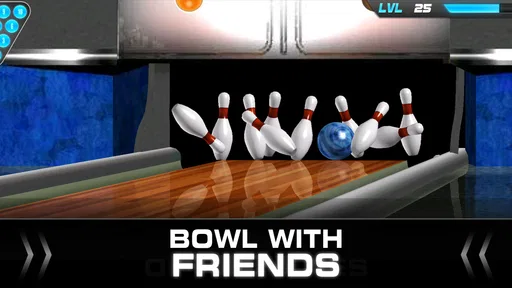
What really sets this game apart is the variety of modes it offers. You can opt for single-player challenges, where you work your way up the ranks of the Professional Bowlers Association, or dive into multiplayer modes to test your skills against friends or random players from around the globe. Each mode has its own unique flair, keeping things fresh every time you play.
Visuals and Sound
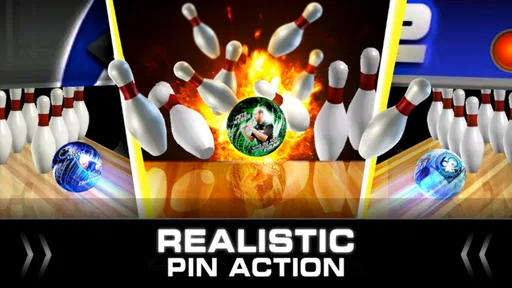
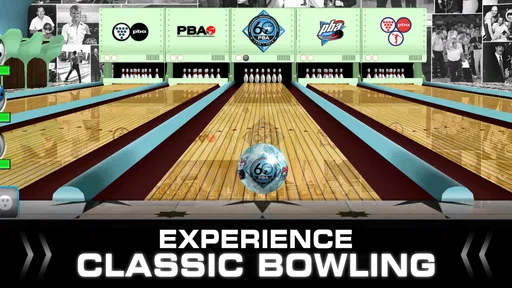
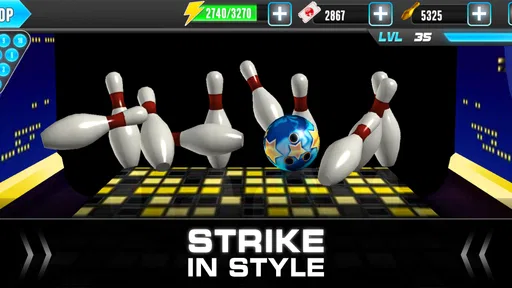
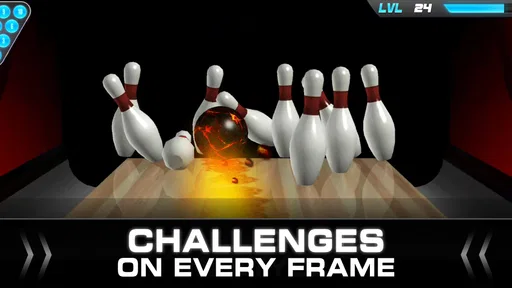
Visually, the game is a treat. The developers have done a stellar job of recreating the vibrant atmosphere of a bowling alley. From the shiny lanes to the realistic pin physics, every detail is designed to immerse you in the bowling experience. And let’s not forget the sound effects – the satisfying crash of pins and the ambient noise of the alley really bring the game to life.
Customization Galore
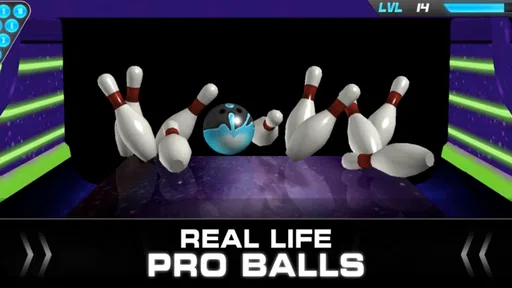
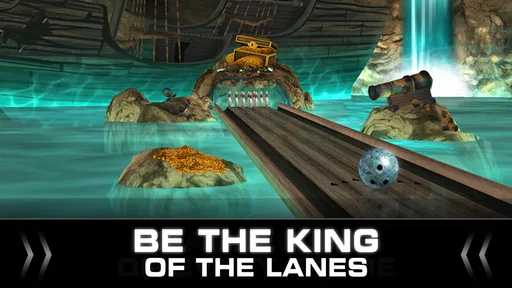
If you love tweaking and personalizing, you’re in for a treat. The game offers a plethora of customization options, from different bowling balls with unique abilities to various alleys that you can unlock as you progress. Want to bowl with a ball that splits into three? Go ahead! These options keep the game exciting and allow you to develop your own strategy for tackling tougher opponents.
Challenges and Tournaments
One of the best features of PBA® Bowling Challenge is its wide array of challenges and tournaments. These aren’t just your run-of-the-mill tasks; they’re crafted to test your skills and keep you engaged. Whether you're aiming for a perfect game or trying to complete a tricky spare, there's always a new challenge waiting for you. Plus, the thrill of competing in tournaments adds a nice competitive edge to the game.
Every win in these competitions not only boosts your confidence but also earns you rewards that can be used to upgrade your equipment or unlock new features. It’s a clever way to motivate players to keep honing their skills and climbing the leaderboard.
Playing for the long haul
The game’s history is part of its character: a release dating back to 2013 means this is not a brand-new novelty designed around a single short-lived hook. Its 3.23.0 version reflects an ongoing version line, while the central appeal remains easy to understand. I would judge its staying power less by how long it has existed and more by whether I still enjoy aiming and adjusting after the early unlocks stop feeling new.
There is a useful distinction between routine and maintenance here. You do not need to turn the game into a daily commitment to get something from it; the frame-based format is naturally suited to occasional play. But returning after a break may mean reorienting yourself around current challenges and your chosen equipment. I would keep one familiar ball in regular use, then test alternatives in lower-pressure play, rather than changing several things at once and being unsure which choice helped.
That is also a sensible way to approach upgrades. A more unusual ball can make play feel fresh, but novelty alone does not prove it suits your style. If your aim is to improve consistency, changing equipment after every disappointing frame makes it harder to tell whether your own timing or the ball choice caused the result. Make one adjustment, play enough to form an impression, and keep the option that makes shots more enjoyable for you.
Who should keep it installed
I would recommend it most to people who enjoy bowling itself, like short skill-based contests, or want a sports game that can be picked up without learning a large roster of characters and teams. It also makes sense for friends who enjoy comparing results, provided both are interested in bowling rather than expecting a broad collection of sports. The PBA identity gives the game a clear lane—literally and figuratively—and helps distinguish it from generic ball-rolling puzzles.
On the other hand, I would skip it if you mainly want a realistic practice aid for an actual bowling league, a deep management game, or a sports title with continuous real-time movement. This is still a mobile game built around quick input and game progression, not a substitute for time at a physical bowling alley. Players who dislike unlock systems, competition, or optional purchase prompts may also prefer a simpler standalone game with fewer reasons to revisit its progression.
What to expect from the free start
Since it costs nothing to install, the most practical test is to play long enough to see whether the aiming and pin results feel satisfying, without spending immediately. In-app purchases span from $0.99 to $99.99 per item, a broad range that makes restraint worthwhile. I would check the purchase amount carefully before confirming anything, especially if a younger player is using the device. The Everyone age rating makes the game broadly accessible, but that does not mean every household will want optional spending enabled without supervision.
One question people often have is whether a free game can remain enjoyable without paying. My approach would be to treat the purchase options as optional and judge the game on the play you can access before deciding. Another is whether it works for a quick session: its frame-by-frame structure is a natural match for short visits, although tournaments may encourage a longer stretch if you want to complete a goal. If your schedule is unpredictable, stop after a clear target rather than feeling obliged to finish every available activity.
There is also the question of whether multiplayer is essential. It is not the only way to enjoy the game: solo challenges give you a reason to practise and progress, while multiplayer is there when you want a head-to-head feel. If you prefer playing entirely at your own pace, focus on the solo side; if competition is the main attraction, consider whether you are likely to return for opponents rather than assuming every mode will suit you equally.
Final Thoughts
In a world brimming with mobile games, PBA® Bowling Challenge stands out by offering a blend of realism, fun, and competitive spirit. It’s a game that you can keep coming back to, whether you’re looking to kill a few minutes or dive into a longer gaming session.
So, if you’re a fan of bowling or just love a good competitive game, give PBA® Bowling Challenge a try. It brings the lanes to your fingertips and delivers an experience that’s sure to keep you hooked. Ready to roll?
Privacy and Permissions
See what permissions an app requests and how it handles your data.
- Wi-Fi connection information
- view Wi-Fi connections
- Other
- view network connections, full network access, control vibration, prevent device from sleeping, read Google service configuration
Verdict
Strengths of PBA® Bowling Challenge
- Realistic bowling physics enhance gameplay.
- Wide variety of bowling balls to unlock.
- Multiple challenging game modes available.
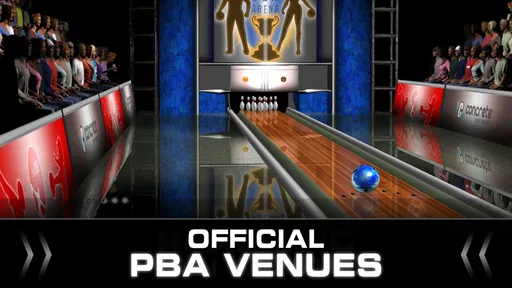
- Authentic PBA tournaments for competition.
- Smooth graphics and engaging sound effects.
Limitations of PBA® Bowling Challenge
- In-app purchases can be excessive.
- Requires constant internet connection.
- Ads can interrupt gameplay frequently.
- Limited customization for avatars.
- Occasional lag on older devices.
Other Releases by Concrete Software, Inc.
View All
PGA TOUR Golf Shootout
Sports4.4

NHRA Legends of Drag Racing
Racing4.4
Similar Picks in This Category
View All
8 Ball Pool
Miniclip.com4.8

Pooking - Billiards City
AIM TOP GAME TECHNOLOGY LIMITED - pool4.6

Carrom Pool: Disc Game
Miniclip.com4.4

EA SPORTS FC Soccer Mobile 26
ELECTRONIC ARTS4.6

World Soccer League
mobirix4.3

Soccer Cup 2026: Football Game
INLOGIC SPORTS - football tennis golf soccer4.3
Frequently Asked Questions
What devices are compatible with PBA® Bowling Challenge?
PBA® Bowling Challenge is compatible with most Android and iOS devices. For Android, it requires at least version 4.1 and up, while for iOS, it requires iOS 9.0 or later. It's always best to check the app store for the most current compatibility details to ensure a smooth gaming experience.
Is PBA® Bowling Challenge free to play?
Yes, PBA® Bowling Challenge is free to download and play. However, it offers in-app purchases for players who want to enhance their experience with additional features, such as premium bowling balls, upgrades, and more. These purchases are optional and not necessary to enjoy the game.
Does PBA® Bowling Challenge have a multiplayer mode?
Yes, PBA® Bowling Challenge includes a multiplayer mode where you can compete against friends or other players online. This adds an exciting competitive element to the game, allowing you to test your skills against real opponents from around the world.
What are some of the key features of PBA® Bowling Challenge?
PBA® Bowling Challenge offers a variety of features, including realistic 3D graphics, intuitive controls, and a wide selection of bowling balls to choose from. Players can also enjoy numerous tournaments, challenging opponents, and unlockable achievements, making it an engaging experience for bowling enthusiasts.
How can I troubleshoot performance issues with PBA® Bowling Challenge?
If you experience performance issues with PBA® Bowling Challenge, try closing other apps running in the background, clearing the app cache, or restarting your device. Ensure your device's software is up to date. If problems persist, consider reinstalling the app or contacting customer support for further assistance.
Play our best games!


